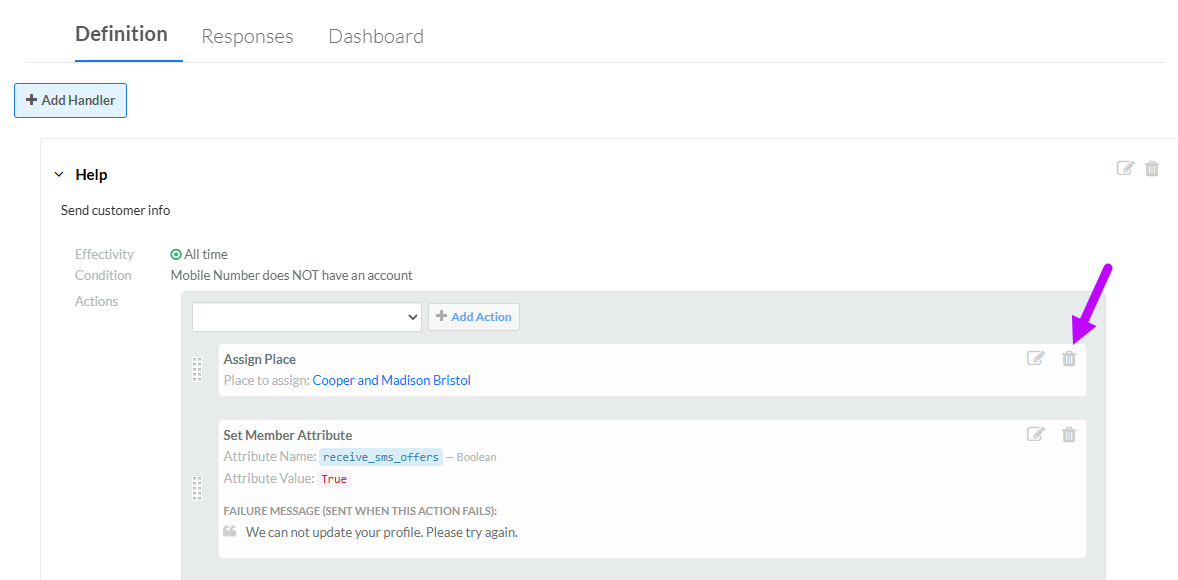
Delete a Handler Action
To delete a Handler action:
-
Select Campaigns from the top navigation bar, then select Campaigns > Inbound SMS from the side navigation menu. The Inbound SMS screen is displayed.
-
Search for and select the desired SMS Keyword (see Search for an SMS Keyword for more information on the available search options). The SMS Keyword Details screen is displayed, with the Definition tab selected by default.
-
Click the desired Handler to expand it.
-
Next to the desired Handler action, click the Delete icon. A confirmation dialog box is displayed; click Confirm.